
WBL Tracker vs TitanWBL: Work-Based Learning Software comparison
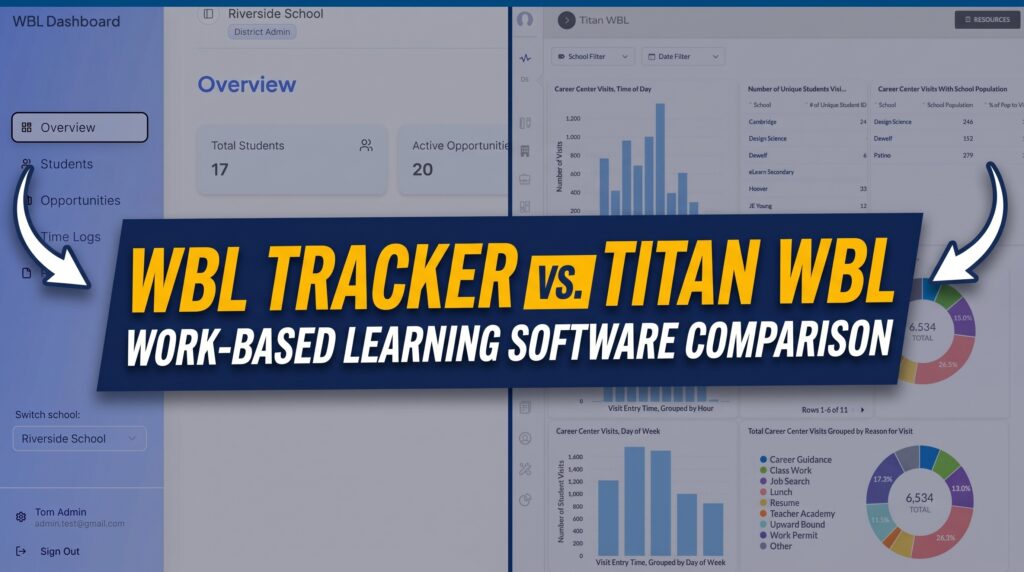
Choosing between WBL Tracker and TitanWBL is not just a software decision. For many K-12 districts, it is a decision about how work-based learning will be tracked, coordinated, reported, and scaled across schools, CTE pathways, employer partners, and district teams.
WBL Tracker appears to do several things well. Its public website focuses on reducing spreadsheet chaos, tracking student hours, managing employer opportunities, automating reminders, supporting multiple WBL activity types, and generating compliance reports. For teams that mainly need a cleaner way to move away from spreadsheets, that message is clear and practical.
TitanWBL approaches the same problem from a broader district operations perspective. It is built as an all-in-one work-based learning platform for school districts, county offices, ROPs, and CTE teams that need to manage not only WBL tracking, but also employer partner relationships, internships, advisory boards, work permits, dual enrollment, student groups, dashboards, reporting workflows, and SIS-connected data.
This review compares WBL Tracker and TitanWBL honestly. The goal is not to dismiss WBL Tracker. The goal is to help district leaders understand where a tracking tool can be useful, where district-wide WBL operations become more complex, and why TitanWBL is the stronger fit for teams that need a scalable career readiness infrastructure.
Quick Answer: WBL Tracker vs TitanWBL
WBL Tracker is best understood as a work-based learning tracking system focused on replacing spreadsheets, tracking student hours, managing opportunities, sending reminders, and supporting basic compliance reporting.
TitanWBL is better suited for districts that need a full work-based learning management platform, not only a tracker. TitanWBL supports district-wide WBL operations across student experience tracking, employer partner management, internships, advisory boards, work permits, dual enrollment, dashboards, role-based workflows, SIS sync, and compliance-ready reporting.
The simple distinction is this:
- WBL Tracker helps teams digitize WBL tracking.
- TitanWBL helps districts centralize and manage the full WBL operation.
For a smaller program with a narrow need around hour logs and activity tracking, WBL Tracker may be worth evaluating. For a district, county office, ROP, or multi-school CTE team that needs visibility, reporting, employer relationship continuity, and scalable workflows, TitanWBL is the stronger platform.
Table of Contents
Why Districts Compare WBL Tracking Platforms

Work-based learning has become a major part of K-12 career readiness. Districts are no longer only asking whether students completed a class. They are also asking whether students participated in internships, job shadows, guest speaker sessions, career panels, industry tours, mentorships, pre-apprenticeships, clinical experiences, student-led enterprises, and other career-connected learning opportunities.
That creates a data problem.
A single WBL coordinator may need to answer questions like:
- Which students participated in which experiences?
- How many hours were completed?
- Which employers hosted students?
- Which CTE pathways are receiving strong industry engagement?
- Which schools have participation gaps?
- Which students still need documentation?
- Which experiences count for state, district, or Perkins V reporting?
- Which partners should be invited back for advisory boards or future placements?
When that information lives in spreadsheets, email threads, forms, PDF files, and individual staff folders, WBL tracking becomes difficult to trust. Reports take too long. Employer relationships become hard to maintain. Staff turnover creates knowledge loss. District leaders lose visibility into what is actually happening across programs.
This is why districts compare platforms like WBL Tracker and the TitanWBL work-based learning platform. Both address the spreadsheet problem, but they do not appear to solve it at the same level.
WBL Tracker speaks directly to the pain of manual tracking. TitanWBL speaks to the broader operational reality of managing WBL across a district.
What WBL Tracker Does Well
An honest review of WBL Tracker should acknowledge that its public messaging is clear, focused, and relevant to WBL coordinators.
The platform positions itself around replacing spreadsheet chaos with a more organized WBL tracking system. Its website highlights faster hour tracking, support for 20+ WBL activity types, weekly time savings for coordinators, student hour logs, employer verification, automated reminders, real-time dashboards, and one-click compliance reports.
That is a strong message because it addresses a real problem. Many WBL coordinators are buried in manual work. They are chasing missing timesheets, cleaning spreadsheets, checking whether employers verified hours, and building reports from scattered data. A tool that makes those tasks easier can provide immediate value.
WBL Tracker has a simple onboarding story
WBL Tracker presents a three-step process: import existing student rosters and employer partnerships, configure programs and compliance requirements, then start tracking. That makes the product feel accessible.
This matters because many CTE and WBL teams are skeptical of complicated software implementations. They do not want another platform that requires months of setup before it becomes useful. WBL Tracker’s messaging reduces that perceived risk by making the path from spreadsheet to system feel straightforward.
WBL Tracker emphasizes hour tracking and verification
For internship-heavy programs, hour tracking can become one of the most painful administrative tasks. Students forget to log hours. Employers forget to verify. Coordinators end up sending reminders manually.
WBL Tracker’s public website directly addresses this by highlighting mobile hour tracking, employer verification, automated reminders, and real-time visibility. For a team whose biggest problem is missing timesheets, that is a relevant capability.
WBL Tracker supports many WBL activity types
The public site lists a broad set of WBL activity types, including internships, job shadowing, apprenticeships, service learning, clinical experience, guest speakers, industry tours, mentorships, school-based enterprise, simulated work environments, and virtual or remote work experiences.
This is useful because WBL is not one activity. A district may need to track everything from a one-hour guest speaker event to a semester-long internship. A platform that recognizes that range is more useful than a generic form or spreadsheet.
WBL Tracker has free tools and roadmap visibility
WBL Tracker also offers free tools, including a work-based learning project generator and an AI mock interview tool for CTE pathways. From a marketing and user education perspective, this is smart. These tools can attract educators and career readiness teams before they are ready to buy a full platform.
The roadmap page also shows interest in opportunity matching, mentorship, certification tracking, and GPS-based time tracking. That suggests WBL Tracker is thinking beyond basic data entry, even if its current public positioning remains strongly centered on tracking, hours, reminders, and reporting.
Where Basic WBL Tracking Stops Being Enough
WBL tracking is important, but tracking alone does not solve every district WBL problem.
This is the key distinction in the WBL Tracker vs TitanWBL comparison. A school or small program may begin by asking, “How do we track hours and activities more easily?” A district eventually has to ask a bigger question: “How do we manage the full work-based learning system across schools, pathways, partners, students, staff, reporting needs, and leadership expectations?”
Those are different problems.
The difference between tracking and operations
A WBL tracker usually focuses on recording participation. That may include student names, activity types, hours, employer names, dates, approvals, and reports.
A district-wide WBL operations platform has to go further. It should help teams coordinate how WBL actually runs. That can include:
- Student experience tracking across multiple schools and pathways
- Employer partner management and engagement history
- Internship coordination and employer evaluations
- Advisory board planning and attendance
- Work permit workflows
- Dual enrollment tracking
- Student group participation and persistence tracking
- Custom forms and surveys
- Dashboards for leadership and program teams
- Role-based access for staff, partners, and administrators
- SIS-connected data workflows
For district leaders, these are not small details. They determine whether WBL data can be trusted, whether reports can be prepared on time, whether employer relationships survive staff changes, and whether leadership can see which students are being served.
Why spreadsheets fail at district scale

Spreadsheets often work at the beginning because they are flexible. One coordinator can create tabs for students, employers, hours, placements, forms, and reports. But as WBL expands, that flexibility becomes fragility.
Districts run into problems such as:
- Different schools tracking the same activity in different ways
- Employer contacts saved in personal files instead of a shared system
- Student records that do not stay connected to pathway, school, or demographic data
- Manual reporting processes that depend on one person knowing where everything is
- Limited visibility for CTE directors and district administrators
- Difficulty proving equitable access to WBL opportunities
- End-of-year reporting pressure caused by inconsistent data entry
The CTE Research Network has written about the importance of robust WBL data collection systems and notes that districts often need to track participation types, intensity, hours, employer information, career clusters, and other data elements. That is exactly where the conversation moves beyond simple tracking and into system design.
What TitanWBL Does Differently
TitanWBL is not positioned as a narrow time tracking tool. It is a work-based learning management platform built for school districts and CTE teams that need to centralize the full WBL lifecycle.
The platform helps districts track student experiences, manage employer relationships, coordinate internships, generate reports, organize advisory boards, support work permit workflows, manage dual enrollment, build forms, view dashboards, and connect data across district systems.
That broader scope is the main reason TitanWBL is stronger than WBL Tracker for district-scale needs.
TitanWBL is built around district WBL workflows
District WBL work is not linear. A student may participate in a guest speaker event, join a career pathway, complete an industry tour, apply for an internship, need a work permit, receive an employer evaluation, and later appear in a compliance report. The same employer may host students, attend an advisory board, participate in a career fair, and return for future placements.
TitanWBL is designed to connect those pieces. That matters because WBL data becomes more valuable when it is connected across students, staff, pathways, employers, and reporting needs.
Instead of treating each experience as an isolated record, TitanWBL helps districts see the bigger picture of career readiness participation.
TitanWBL has stronger public proof for district scale
TitanWBL’s public website includes several proof points that matter for district buyers. TitanWBL states that it has been proven at Fresno Unified School District, has tracked 800,000+ work-based learning experiences at Fresno Unified in the past three years, has helped engage 5,000+ industry partners, supports 50+ CTE programs, and has been deployed district-wide in under 2 weeks.
Those proof points are important because district leaders are not only buying features. They are buying confidence that the platform can support real operational scale.
ACTE has also referenced Fresno Unified’s use of TitanWBL to track and report a wide range of WBL activities. The CTE Research Network has similarly discussed Fresno Unified’s TitanWBL system in the context of robust district WBL data collection, including interoperability with the district’s student information system.
For a district leader comparing WBL Tracker and TitanWBL, that external context matters. It shows that TitanWBL is not only a product making claims on its own website. It has been discussed in broader CTE research and practice conversations.
TitanWBL was built by people who understand WBL from inside districts
One of TitanWBL’s strongest differentiators is its origin story. TitanWBL was built by people who understand the actual work of WBL coordination, CTE administration, and district data needs.
This matters because many software products are built from the outside looking in. They may solve a visible problem, such as time tracking, but miss the operational realities around district reporting, staff permissions, employer relationship continuity, pathway alignment, advisory boards, work permits, and leadership visibility.
TitanWBL’s positioning is different. It is built around the idea that every workflow exists because someone has lived the problem it solves.
WBL Tracker vs TitanWBL Feature Comparison
The table below compares WBL Tracker and TitanWBL based on publicly visible positioning and capabilities. This is not meant to claim WBL Tracker cannot support anything not listed publicly. It is an honest comparison based on what each product clearly emphasizes on its website.
| Evaluation Area | WBL Tracker | TitanWBL | Practical Takeaway |
|---|---|---|---|
| Core positioning | Focused on replacing spreadsheet chaos with WBL tracking, hour logs, reminders, and compliance reports. | Positioned as a district-wide work-based learning platform for tracking, partner management, reporting, internships, work permits, advisory boards, dual enrollment, and dashboards. | WBL Tracker is narrower and easier to understand quickly. TitanWBL is broader and better aligned with district operations. |
| Student hour tracking | Strong public emphasis on mobile hour tracking, employer verification, reminders, and visibility. | Supports student experience tracking within broader WBL workflows. | WBL Tracker presents hour tracking very clearly. TitanWBL connects tracking to a larger operating system. |
| Activity types | Publicly lists 20+ WBL activity types. | Supports a broad range of district WBL experiences and configurable workflows. | WBL Tracker uses a strong activity count. TitanWBL’s advantage is configurability and connection to district reporting. |
| Employer partner management | Highlights employer details, opportunities, schedules, requirements, and placements. | Centralizes industry partner records, engagement history, participation, advisory boards, and relationship continuity. | TitanWBL is stronger when employer relationships need to be managed as a long-term district asset. |
| Compliance reporting | Highlights one-click state reporting and exports. | Supports compliance-ready reporting, dashboards, custom views, and district data workflows. | WBL Tracker may help with fast exports. TitanWBL is better for broader district reporting and visibility. |
| SIS connection | Mentions export to SIS publicly. | Highlights Clever SIS sync and SIS-connected workflows. | TitanWBL has the stronger public SIS integration story. |
| Internship management | Internships are included as one of the supported WBL activity types. | Includes internship management workflows, placements, progress tracking, and employer evaluations. | TitanWBL appears stronger for internship lifecycle management. |
| Advisory boards | Not strongly visible in public product positioning. | Includes advisory board management. | TitanWBL better supports the relationship between WBL, CTE pathways, and employer advisory structures. |
| Work permits | Not strongly visible in public product positioning. | Includes work permit workflows and a California Work Permit Generator. | TitanWBL is stronger for districts that need work permit support connected to WBL operations. |
| Dual enrollment | Not strongly visible in public product positioning. | Includes dual enrollment management. | TitanWBL fits broader career readiness infrastructure, not only WBL activity tracking. |
| District proof | Public website focuses on product claims and use cases. | Publicly references Fresno Unified, CTE Research Network visibility, Clever partnership, and large-scale WBL experience tracking. | TitanWBL has stronger public proof for district-scale adoption. |
| Best fit | Teams seeking a straightforward tracker for hours, activities, opportunities, and reports. | Districts seeking a full WBL operations platform across students, partners, reporting, permissions, and program areas. | WBL Tracker may fit narrower use cases. TitanWBL is the better choice for long-term district scale. |
Which Platform Fits Which Type of Team?
The right choice depends on the maturity and complexity of the district’s WBL program.
When WBL Tracker may be a reasonable fit
WBL Tracker may be worth evaluating if your team mainly needs to replace spreadsheets for student hours, activity tracking, employer verification, and basic reporting.
It may fit teams that:
- Have a smaller or simpler WBL program
- Need a clearer way to track student hours
- Want automated reminders for students and employers
- Need quick exports for reporting
- Primarily manage internships or other logged-hour experiences
- Want a lightweight tool that feels easy to start
In these scenarios, WBL Tracker’s focused messaging can be attractive. The product appears designed to make manual tracking easier and reduce the administrative burden around student participation records.
When TitanWBL is the better fit
TitanWBL is the better fit when WBL is no longer a small tracking problem and has become a district-wide operating challenge.
TitanWBL is especially relevant for:
- School districts managing WBL across multiple schools
- County offices of education supporting multiple programs or partners
- ROPs coordinating employer relationships and career-connected learning
- CTE directors who need better program visibility
- WBL coordinators who need to reduce manual reporting work
- Career readiness leaders who need equity and participation insights
- Districts that need SIS-connected WBL data
- Teams managing internships, advisory boards, work permits, and dual enrollment in one system
If the district’s needs include more than tracking hours, TitanWBL offers a stronger long-term foundation.
Why TitanWBL Is Stronger for District-Scale WBL
The main reason TitanWBL is stronger for district-scale WBL is simple: it solves the broader operational problem.
WBL Tracker appears strong as a tracking tool. TitanWBL is stronger as a district-wide WBL management system.
1. TitanWBL manages the full WBL lifecycle
A district does not only need to know that an experience happened. It needs to know how that experience connects to the student, the pathway, the school, the employer, the staff member, the report, and the next opportunity.
TitanWBL is built for that full lifecycle. It supports the workflows that happen before, during, and after WBL experiences.
That includes:
- Planning experiences
- Tracking participation
- Managing internships
- Capturing employer evaluations
- Maintaining partner records
- Organizing advisory boards
- Supporting work permit workflows
- Viewing dashboards
- Preparing compliance-ready reports
That is a more complete operational model than simply tracking activities and hours.
2. TitanWBL protects employer relationship continuity
Employer partners are one of the most valuable assets in a district’s career readiness ecosystem. But in many districts, that information is fragile. It lives in the inboxes, spreadsheets, and personal notes of individual coordinators.
When a staff member leaves, the district can lose relationship history. Which employers hosted interns? Who attended advisory board meetings? Which partners were reliable? Which contacts need follow-up? Which industries are underrepresented?
TitanWBL helps turn employer relationships into shared institutional knowledge. That is a major advantage over a narrower tracking approach.
3. TitanWBL supports leadership visibility
District leaders need more than completed forms. They need visibility.
They need to see which students are participating, which schools have strong WBL access, which pathways are engaging industry partners, and where additional support may be needed.
TitanWBL’s dashboards and data workflows are built for that level of visibility. This matters for leadership meetings, board conversations, grant reporting, Perkins V planning, and internal program improvement.
Districts can also learn more about these reporting challenges in TitanWBL’s guide to work-based learning compliance reporting.
4. TitanWBL has stronger district proof
When district leaders evaluate software, proof matters. A clean website is not enough. They need evidence that the platform can support real WBL complexity.
TitanWBL’s Fresno Unified proof is important because it shows that the platform has been used in a large district environment with significant WBL volume, many CTE programs, and thousands of industry partners.
District teams can read more in the Fresno Unified work-based learning case study.
5. TitanWBL fits the reality of district systems

WBL data does not exist in isolation. It often needs to connect with student information, program records, staff permissions, CTE pathways, reporting structures, and district leadership needs.
TitanWBL publicly emphasizes SIS sync, including Clever, and is designed around K-12 data privacy needs. Its FERPA-aligned positioning is careful and district-appropriate: TitanWBL works with organizations under appropriate agreements, uses student information only to provide authorized educational services requested by the district or organization, and follows a data-minimization approach.
That matters because districts need more than convenience. They need responsible systems for student data.
Questions to Ask Before Choosing WBL Software
Before choosing between WBL Tracker, TitanWBL, or any other WBL software, district teams should clarify the level of problem they are trying to solve.
Questions about scope
- Are we only trying to track hours, or are we trying to manage the full WBL lifecycle?
- How many schools, CTE programs, and staff members need access?
- Do we need one system for internships, guest speakers, advisory boards, work permits, and other WBL activities?
- Do we need to manage employer relationships over multiple years?
Questions about reporting
- What reports do we need for district leadership, state reporting, Perkins V, grants, or board updates?
- How long does reporting take today?
- Can we disaggregate participation data by school, pathway, student group, or experience type?
- Are reports built throughout the year, or only during the end-of-year scramble?
Questions about data and integrations
- Does the platform connect with our student information workflows?
- How are student records kept current?
- What role-based permissions are available?
- How does the platform approach FERPA-aligned student data practices?
Questions about long-term scale
- Will this platform still work if WBL doubles across our district?
- Can it support county offices, ROPs, or multi-school structures?
- Can employer partner data survive staff turnover?
- Can leadership see progress without asking coordinators to manually build reports?
If the answer to most of these questions is “we only need easier tracking,” WBL Tracker may be part of the evaluation. If the answer is “we need a district-wide system,” TitanWBL is the stronger choice.
How This Comparison Relates to Other District Systems
Some district leaders ask whether they can solve WBL tracking inside an existing system such as an SIS, LMS, or general career readiness tool. That is a fair question.
The challenge is that most district systems were not built specifically for the operational complexity of work-based learning. An SIS is strong for student records. An LMS is strong for instruction and course activity. A college and career platform may be strong for planning, surveys, and student exploration. But WBL teams often need something different: a system built for real-world experiences, employer relationships, hours, placements, compliance documentation, and program visibility.
That is why TitanWBL has also written about how WBL teams should think about platforms like Canvas LMS and WBL teams and why SIS platforms may not fully solve WBL operations in the PowerSchool vs TitanWBL comparison.
The same principle applies here. WBL Tracker can be helpful if the core need is tracking. TitanWBL is stronger when the real need is managing WBL as a district-wide operating system.
Final Verdict: WBL Tracker Is Useful, but TitanWBL Is More Complete
WBL Tracker deserves credit for clear messaging and practical focus. It understands that WBL coordinators are tired of spreadsheets, missing timesheets, manual reminders, and reporting headaches. Its public website presents a focused solution for tracking activities, hours, employer opportunities, and compliance reports.
But for many districts, that is only the starting point.
The larger challenge is not just tracking WBL. It is managing WBL at scale.
Districts need to coordinate students, employers, pathways, schools, staff, advisory boards, work permits, internships, dual enrollment, reports, dashboards, and leadership visibility. They need a system that protects institutional knowledge, supports compliance-ready reporting, and keeps WBL data connected across the district.
That is where TitanWBL is stronger.
If your team is comparing WBL Tracker and TitanWBL, the most important question is not “Which one tracks WBL?” Both are built around that problem in some form. The better question is:
Do we need a tracker, or do we need a district-wide WBL management platform?
If you only need a simpler way to track student hours, WBL Tracker may be worth reviewing. If you need to centralize and scale work-based learning across a district, TitanWBL is the more complete and future-ready choice.
To see how TitanWBL can support your district’s WBL workflows, employer partner management, reporting, and career readiness operations, schedule a TitanWBL demo.
FAQ: WBL Tracker vs TitanWBL
What is WBL Tracker?
WBL Tracker is a work-based learning tracking platform that publicly emphasizes spreadsheet replacement, student hour tracking, employer verification, automated reminders, multiple WBL activity types, and compliance reporting. It appears best suited for teams looking to digitize and simplify WBL tracking workflows.
What is TitanWBL?
TitanWBL is an all-in-one work-based learning platform for K-12 school districts, county offices, ROPs, and CTE teams. It helps teams centralize student experience tracking, employer partner management, internships, advisory boards, work permits, dual enrollment, dashboards, and compliance-ready reporting workflows.
Is WBL Tracker better than spreadsheets?
Based on its public positioning, WBL Tracker is designed to be much better than spreadsheets for tracking WBL hours, reminders, employer verification, and basic reporting. For teams struggling with manual tracking, it may be a meaningful improvement.
Why would a district choose TitanWBL instead of WBL Tracker?
A district would choose TitanWBL when it needs more than basic tracking. TitanWBL is stronger for district-wide WBL operations, including employer relationship continuity, SIS-connected workflows, dashboards, reporting visibility, work permits, advisory boards, internships, and broader career readiness infrastructure.
Does TitanWBL support compliance reporting?
TitanWBL supports compliance-ready reporting by helping districts organize WBL participation data, student experiences, employer relationships, and program records in one place. It does not replace district legal or compliance review, but it can help reduce manual reporting burden and improve data visibility.
Does TitanWBL integrate with SIS data?
TitanWBL publicly highlights SIS sync, including Clever, and has been discussed in CTE research contexts as interoperable with Fresno Unified’s student information system. Districts should confirm specific integration requirements during the demo and implementation discussion.
Which platform is better for a small WBL program?
A small program focused mainly on hours, student logs, reminders, and activity tracking may find WBL Tracker worth evaluating. However, if the program expects to grow across schools, pathways, employer partners, and reporting needs, TitanWBL may provide a stronger long-term foundation.
Which platform is better for district-wide WBL?
TitanWBL is the better fit for district-wide WBL because it is built around full program operations, not only tracking. It supports broader workflows across students, employers, internships, advisory boards, work permits, dual enrollment, dashboards, reporting, and district visibility.
Sources