

Search
Adding a new industry partner in TitanWBL is simple. Just follow these steps:
Step 1: Log In to TitanWBL
Navigate to the TitanWBL login page and enter your credentials to access your account.
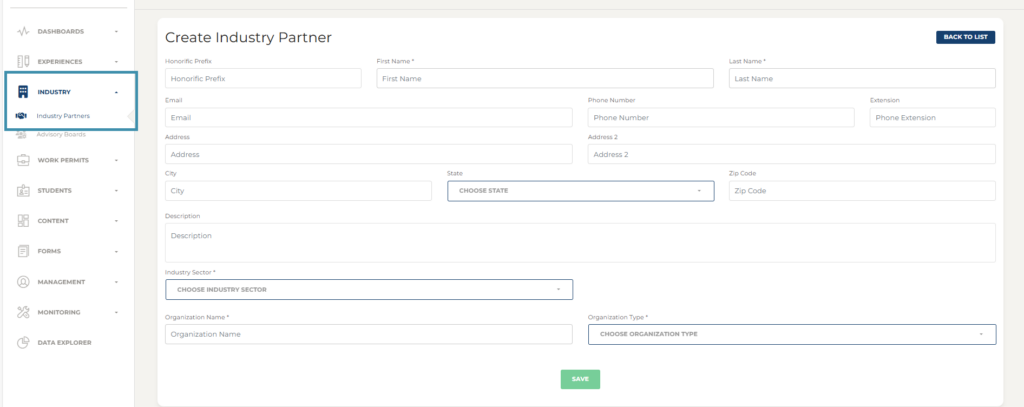
Step 2: Go to the Industry Section.
Once logged in, locate the Industry menu and choose Industry Partners.
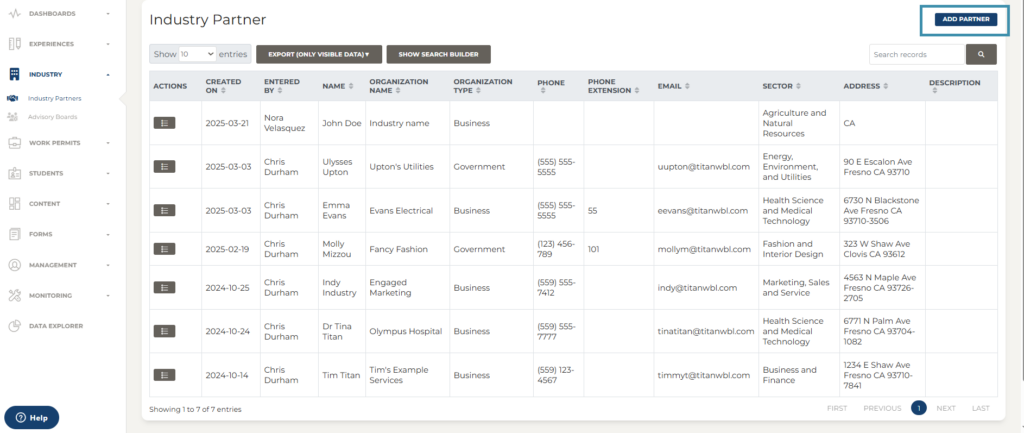
Step 3: Select Add Partner.
Select “Add Partner” from the top right of your screen.
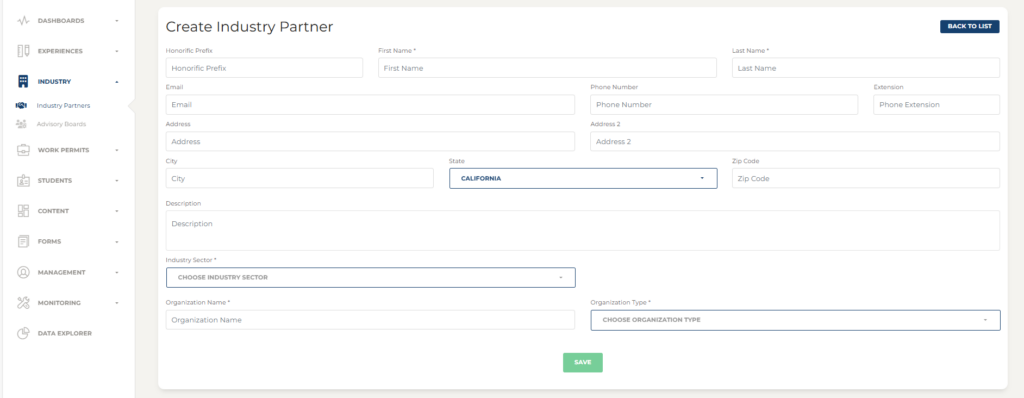
Step 4: Complete the “Create Industry Partner” form.
All of the sections with asterisks * are required to complete:
- First and Last Name
- Industry Sector
- Organization Name
- Organization Type
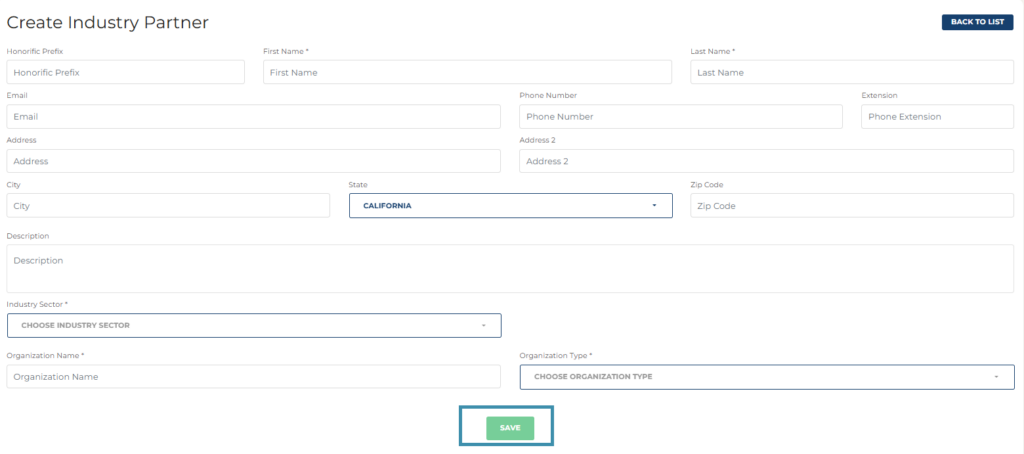
Step 5: Select Save.
Select ‘Save’ to complete the process. Your new industry partner has now been added.
Troubleshooting Tips:
- Ensure all required fields are completed before submitting. Any field with an “*” next to it, is required.
- If information is missing a red message will pop up alerting you to the missing details.
- Contact TitanWBL Administrator if you are experience any issues while logging in certification experiences.